A content locker for Discord and the web
Visitors complete an offer or pay. We verify it and hand over the key, the file or the Discord role.
By continuing, you agree to our terms and privacy policy.
- Reward
- A key, a link or a Discord role
- Verified by
- An offerwall provider, or Stripe
- Delivery
- On the page, or by email if the tab closes
- Payouts
- From $100, 25% flat platform fee
An animated preview of a content locker: a visitor arrives, completes an offer or pays, and the reward is delivered. The designs, colour schemes and copy in it are examples.
What an unlock looks like, from the click to the reward
Easy to use dashboard

- GDPR
- SOC 2
- ISO 27001
const payload = JSON.stringify({
  projectSlug: "vip-portal",
  reward: "vip-30-days",
});

const res = await fetch(
  "/api/session",
  {
    method: "POST",
    body: payload,
  }
);

const { data } = await res.json();
redirect("/g/" + data.project.slug);
What publishers gate, and how they earn from it
Discord roles and memberships
One portal per tier, each with its own role and price. The bot grants it when the offer or the payment clears, swaps it for a lapsed role when the window ends, and reinstates it the moment somebody renews.
Digital courses, eBooks & files
Gate a course, a PDF or a pack of project files behind a one-off price or the offer route. Nothing is revealed until the completion is confirmed on our side, and the key is emailed too if the tab closes.
Software downloads
A build, a patch or a settings pack: a single-use key with an expiry, or a signed link your own server controls. The file is never exposed before the task or the payment clears.
Free access in exchange for an offer
Visitors who will not pay can complete a sponsored offer instead. The provider pays out on completion and you keep the share.
From a click to a key, in three moves
Send them to the page
Link it from your site, or let your site open the unlock quietly in the background. Either way the visitor lands on a page built for the thing they are unlocking, and nothing is revealed yet.
They pay, or do a task
Whichever route they pick, the result is confirmed on our side rather than taken from the browser. Nothing is handed over on a promise.
They get what they came for
A key, a link to your own download, or a role on your Discord server, handed over the moment the confirmation lands. By email too, if they close the tab first.
Everything the dashboard hands you
Portals you do not have to design
12 layouts and 15 colour presets, your own logo and copy, and a link on a pooled domain from the first minute. Point a domain you own at a portal whenever you want it there instead.
Offers that arrive already set up
Nothing about an offer is yours to configure. The creatives, payouts, country rules and caps are maintained by our offer provider and served from one interface, so there is no list to add to and no price to keep current. Pick how many tasks count as done, and that is the whole setup.
Discord roles, with an expiry
Roles are granted on completion and taken back on schedule, on a server you do not own, without a moderator touching anything.
Rewards that fit the content
A single-use key, a redirect to your own link, or a role. Email delivery is optional, so a closed tab does not lose the reward.
- expiry
- 1 hour to never
- seats
- 1 to unlimited
What the visitor gets
The reward type is a project setting, so one account can run a key portal and a role portal side by side.
A key, a link or a role
Keys can be single use, shared across a fixed number of people, or tied to the first person who redeems them.
The same reward by email
Turn it on and the visitor keeps the key after closing the tab, which is usually the difference between a support ticket and none.
A way in without paying
Offers, discounts and a wheel for the visitors who will not reach for a card. Each one is a per-project toggle.
What you keep, and when it is paid out
Earnings build up in a wallet as they happen. Nothing is taken until you withdraw, and the figures on the dashboard are the ones in the database.
Stripe for the payments
One-off unlocks and subscriptions both run through it, so a card is never handled by the portal or by us.
Payouts from $100
Request a withdrawal and it is reviewed and paid. The platform fee is 25%, charged on the withdrawal rather than on what you earned.
Numbers per project
Sessions, conversions, revenue and the trend against the previous period, for each portal and for the account as a whole.
Regional pricing
A different price for the country they are in
A visitor in India and a visitor in Germany open the same portal and see different discounts. Each rule covers a country, a continent, or everyone, and the one that matches the request decides the price before the visitor reaches a card.
- The country comes from the request
- We detect the country automatically. Nothing is asked of the visitor's browser.
- Country beats continent, continent beats everyone
- Rules layer from broad to specific. A country rule wins over its own continent's, and the everyone rule catches the visitors the geo data cannot place.
- The discount is the price that is charged
- Portal page automatically shows the discounted price and that's how much they get charged via Stripe.
Monetize your Discord server
Charge for a role, gate a channel, or let people earn access by completing an offer instead. It is the deepest integration we have, and an optional one: link the account you manage servers with once, then every project can pick from the servers and channels it can see. A portal works without any of it.
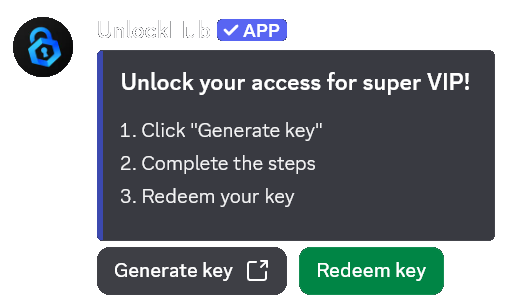
Roles with a clock
Granted on completion, swapped for an expired role when the time is up, and reinstated the moment somebody renews.
Embeds the bot keeps current
Post the unlock embed into a channel and the bot updates that same message as the offer behind it changes.
One link, set up on the site
The bot reads its projects from the API, so nothing about a server lives in the bot itself. Add one, and it appears.
Common questions
What is a content locker?
A content locker is a page that holds something back until a visitor earns it: they complete a sponsored offer, or they pay. UnlockHub runs that page for a Discord server or a website, verifies the completion, and then hands over the reward, which is a key, a download link or a Discord role.
How do I add a content locker to my Discord server?
Connect the bot, pick the channel its portal link is posted in, and pick the role a redemption grants. A member clicks the link, unlocks, and the role arrives on its own, with an expiry if you set one. Nothing to host, and no code for this route.
How do I monetize a Discord server?
Put a portal link in a channel your members already read, and give it a price or an offer. A member unlocks, and the role that opens the paid channels lands on their account by itself, with an expiry if you set one. Sell it as a subscription and Stripe handles the renewals, so there are no payments to chase in DMs.
Can I lock a download or a page on my own website?
Yes. Create a project, put its link in front of the file or page you want gated, and let the gateway hold the visitor until they unlock. On completion we call the redirect URL, webhook or API you configured, so your own code decides what to release.
Can I gate one channel instead of the whole server?
Yes, and that is the usual setup: the server stays free to join, and access is a role that opens the channels you gave it. Pick the role a redemption grants, set how long it lasts, and members keep it until it expires and then move to the role you choose for lapsed access.
Can I put the unlock page on my own domain?
Yes, and it costs nothing. Connect a domain you own under portal domains, publish the two DNS records it shows (a TXT record proving the domain is yours, and one CNAME, or an A record for a bare domain), and your gateway link is served from that address instead.
Do visitors have to pay to unlock?
Only if you want them to. Every project runs the free route (a sponsored offer), the paid route (a one-off payment or a subscription), or both side by side, so the visitor picks the way in that suits them.
How much does UnlockHub cost?
Nothing to start, and no monthly fee. You keep 75% of every sale: the card processor's fee comes off first, and the 25% platform fee is only taken when you withdraw. Payouts are requested from $100, and there is no payment account to connect.
What is UnlockHub, and why is it on my card statement?
We run the unlock page or Discord embed that a server or website uses to gate its content: a visitor completes a task or pays, and we verify it and hand over the key or role. A charge that says UnlockHub is one of those unlocks, paid through a portal you visited.
I paid but never received my access key
Check the spam folder of the email address you paid with first, then the server or site you were unlocking: the key is also shown on the page right after paying. If it is nowhere, use the contact page with the date, amount and the name of the server or site, and we will find the session.
There is a charge I did not expect
Start on the cancellation page: it shows what that address is subscribed to and stops it in one click. If the charge still looks wrong, talk to us with the date and amount before disputing it with your bank. A subscription we can look up is usually sorted out faster than a dispute.
How do I cancel an UnlockHub subscription?
Open the cancellation page and enter the email address you paid with. No account is needed, and nothing is confirmed on screen. That address receives an email listing the subscriptions we hold for it, each with its own Cancel Subscription button. Cancelling stops future payments, and access to whatever you unlocked continues until the end of the period you already paid for.
Your first portal takes a few minutes
An account, a confirmed address and a project. No approval queue, no call with sales, no waiting list.
Coming from a link shortener? The honest comparison covers Linkvertise, AdFly, Lootlinks, Work.ink, Lockr and Upgrade.Chat, and where each of them is the better tool.